 UAU Ready
Description
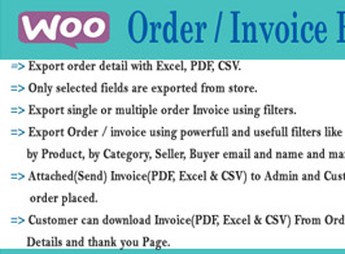
Order Export WooCommerce exports your WooCommerce store’s orders to CSV, Excel, and XML, capturing details like product name, amount, purchase date, and payment method within a defined time frame. Built for anyone who sells on WooCommerce and needs to close out reports, reconcile sales with accounting, or feed external spreadsheets, the plugin replaces manual copying of data from the dashboard with files that are ready to open in any spreadsheet editor.
Key Features of Order Export WooCommerce
- CSV, Excel, and XML export
Generates files in all three formats from the orders recorded in WooCommerce. - Sales period filter
Limits the export to the date range you choose in the dashboard. - Custom order filters
Lets you build your own criteria to decide which orders make it into the file. - Selection by customer and payment method
Isolates exports by a specific customer or by the payment method used in the purchase. - Detailed order fields
Includes product name, amount, purchase date, and payment method in every exported row.
Benefits of Order Export WooCommerce
- Faster report closeouts
Cuts the time spent consolidating sales for accounting, tax, and management. - Integration with spreadsheets and ERPs
CSV, Excel, and XML files feed external tools without any manual typing. - Precise data slices
Filters deliver only the orders relevant to each analysis, with no noise. - Simple operation in the dashboard
Straightforward setup inside WordPress, with no advanced technical knowledge required.
Who Is Order Export WooCommerce For?
- Anyone selling on WooCommerce who has to send sales reports to accounting every month.
- You, if you build revenue spreadsheets and want to pull orders in CSV or Excel without copying them from the dashboard.
- Anyone who needs to move WooCommerce orders into an ERP, tax system, or internal tracking spreadsheet.
- Anyone who wants to slice sales by customer or payment method for one-off analyses.
How to Download Order Export WooCommerce
Order Export WooCommerce is available for download here at Ultrapack. Once you’ve saved the .zip file, install it from the dashboard under Plugins > Add New > Upload Plugin, select the .zip, and activate it. With WooCommerce active, the export screen shows up in the admin menu, ready to generate your files.
This plugin focuses on one specific, recurring task in the daily routine of a WooCommerce store: pulling orders out of the database and putting them into universal spreadsheet formats. For anyone closing the books, reporting to an accountant, or cross-referencing sales data in external tools, Order Export WooCommerce removes the friction of manual exports and standardizes the output in CSV, Excel, or XML depending on where the data needs to go.
Frequently asked questions
Is Order Export WooCommerce GPL-licensed?
Yes. Order Export WooCommerce is distributed under the GPL (GNU General Public License). You may legally use, modify and redistribute it on as many sites as you want.
Can I use Order Export WooCommerce on multiple sites?
Yes. You can install Order Export WooCommerce on as many sites as you want. Only automatic updates through Ultrapack Auto Updater have a limit: from 3 to 80 sites, depending on the plan.
How much does Order Export WooCommerce cost at Ultrapack?
Order Export WooCommerce costs US$2.99 as a single purchase, and it is also included in the subscription plans starting at US$12/mo (VIP I).
Does Order Export WooCommerce include updates?
Yes. The current version of Order Export WooCommerce is 1.0.0, published at Ultrapack on Jun 13, 2017. Subscribers update straight from the WordPress dashboard with UAU (Ultrapack Auto Updater).
Is Order Export WooCommerce scanned before publication?
Yes. Every version of Order Export WooCommerce goes through a malware scan (ClamAV and YARA rules, at UltraHub) before it is published.
How to install
Automatic updates: this item is updated by the Ultrapack Auto Updater. With it installed, the new version shows up in your dashboard like any other WordPress update (how to set it up).
- Download the file
codecanyon-9602609-woocommerce-order-export-wordpress-plugin.zip. - In the WordPress dashboard, go to Plugins > Add New > Upload Plugin.
- Select the file
codecanyon-9602609-woocommerce-order-export-wordpress-plugin.zipand click Install Now. - Click Activate.
Stuck on a step? Open a ticket telling us which one you stopped at.