Description
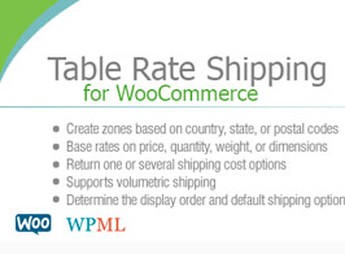
Built on WooCommerce, the Table Rate Shipping for WooCommerce calculates shipping rates based on a rules table, crossing cart conditions, delivery methods, and configurable brackets to set shipping costs at checkout. It helps those selling products with variable logistical costs replace fixed shipping rates with criteria more aligned to weight, destination, and order value, keeping shipping charges in sync with store operations.
Key Features of Table Rate Shipping for WooCommerce
- Table shipping
defines shipping costs from rules configured in WooCommerce. - Cart conditions
calculates tariffs based on order data during checkout. - Bracket rules
organizes shipping costs into defined intervals. - Delivery methods
adds configurable shipping options to the checkout flow. - Administrative control
centralizes shipping adjustments in the WordPress dashboard.
Benefits of Table Rate Shipping for WooCommerce
- More accurate billing
reduces distortions between actual shipping costs and charged amounts. - Less manual adjustments
automates repetitive calculations that previously relied on direct review. - Clearer checkout
displays coherent shipping values before order completion. - Scalable operation
facilitates working with different regions, weights, and purchase values.
Who Should Use the Table Rate Shipping for WooCommerce?
- Those selling physical products in WooCommerce and need to calculate shipping rates with variable rules.
- Those working with different delivery regions and want to organize rates by internal criteria.
- Those need to replace generic shipping rates with values based on the actual order conditions.
How to Download the Table Rate Shipping for WooCommerce
The Table Rate Shipping for WooCommerce is available for download here at Ultrapack. After downloading the .zip file, install in Plugins > Add New > Upload plugin, select the file and activate in the WordPress dashboard.
The Table Rate Shipping for WooCommerce fits stores that need to treat shipping as part of the commercial rule, not just a fixed cost at checkout. With configurable tables, the calculation follows better variations in weight, destination, and cart composition, reducing ad-hoc shipping charge management.
Frequently asked questions
Is Table Rate Shipping for WooCommerce GPL-licensed?
Yes. Table Rate Shipping for WooCommerce is distributed under the GPL (GNU General Public License). You may legally use, modify and redistribute it on as many sites as you want.
Can I use Table Rate Shipping for WooCommerce on multiple sites?
Yes. You can use Table Rate Shipping for WooCommerce on multiple sites. The number of sites connected to Ultrapack Auto Updater is limited by your plan.
How much does Table Rate Shipping for WooCommerce cost at Ultrapack?
Table Rate Shipping for WooCommerce costs US$2.99 as a single purchase, and it is also included in the subscription plans starting at US$12/mo (VIP I).
Does Table Rate Shipping for WooCommerce include updates?
Yes. The current version of Table Rate Shipping for WooCommerce is 4.3.13, published at Ultrapack on Apr 9, 2026. Subscribers update straight from the WordPress dashboard with UAU (Ultrapack Auto Updater).
Is Table Rate Shipping for WooCommerce scanned before publication?
Yes. Every version of Table Rate Shipping for WooCommerce goes through a malware scan (ClamAV and YARA rules, at UltraHub) before it is published.
How to install
Updates: manual. When a new version comes out, download it on this same page and upload it over the old one; WordPress asks whether you want to replace the current version.
- Download the file
codecanyon-3796656-table-rate-shipping-for-woocommerce.zip. - In the WordPress dashboard, go to Plugins > Add New > Upload Plugin.
- Select the file
codecanyon-3796656-table-rate-shipping-for-woocommerce.zipand click Install Now. - Click Activate.
Stuck on a step? Open a ticket telling us which one you stopped at.