 UAU Ready
Description
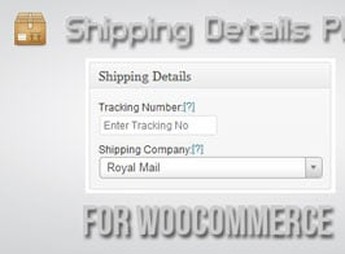
Shipping Details – WooCommerce adds shipping tracking fields to WooCommerce orders, allowing you to record the carrier, tracking code, and tracking link directly on the order edit screen. The information is automatically sent to the customer by email and displayed on the “My Orders” page, shortening the post-purchase question cycle for those who sell physical products in WooCommerce stores of any size.
Key Features of Shipping Details – WooCommerce
- Order metabox
Adds carrier, code, and tracking URL fields within the WooCommerce order edit screen. - Automatic customer email
Sends a notification to the buyer when shipping details are entered or updated by the admin. - Display in My Orders
Shows the carrier and tracking link on the customer’s account page after dispatch. - Carrier registration
Allows you to register the shipping companies used and associate each one with its default tracking URL. - Custom shipping status
Marks the order as dispatched and records the shipping date along with the other logistics information.
Benefits of Shipping Details – WooCommerce
- Fewer support tickets
Reduces messages such as “where is my order?” by informing the customer as soon as the product is out for delivery. - Organized post-sale workflow
Centralizes logistics data within the order itself, without needing spreadsheets or separate tools. - More trust in the store
Shipping transparency increases the perception of professionalism and reduces refund requests driven by anxiety. - Scalable operation
Standardizes shipping records regardless of the daily volume of dispatched orders.
Who Is Shipping Details – WooCommerce For?
- Those who sell physical products through WooCommerce and need to provide tracking without hiring an external service.
- Those who dispatch orders through more than one carrier and want to standardize logistics records in the dashboard.
- Those who want to reduce the volume of questions about delivery status in customer support.
How to Download Shipping Details – WooCommerce
Shipping Details – WooCommerce is available for download here on Ultrapack. After saving the .zip file, install it in Plugins > Add New > Upload Plugin, select the file, and activate it. The tracking fields will then appear within each order in the WooCommerce admin area.
Designed for those who dispatch merchandise regularly, Shipping Details – WooCommerce covers the step that is often missing from standard WooCommerce: telling the buyer where the package is. By automating the dispatch email and displaying tracking in the customer’s account, it turns a manual shipping spreadsheet into a native dashboard routine, with a direct gain in support time and logistics operation predictability.
Frequently asked questions
Is Shipping Details – WooCommerce GPL-licensed?
Yes. Shipping Details – WooCommerce is distributed under the GPL (GNU General Public License). You may legally use, modify and redistribute it on as many sites as you want.
Can I use Shipping Details – WooCommerce on multiple sites?
Yes. You can install Shipping Details – WooCommerce on as many sites as you want. Only automatic updates through Ultrapack Auto Updater have a limit: from 3 to 80 sites, depending on the plan.
How much does Shipping Details – WooCommerce cost at Ultrapack?
Shipping Details – WooCommerce costs US$2.99 as a single purchase, and it is also included in the subscription plans starting at US$12/mo (VIP I).
Does Shipping Details – WooCommerce include updates?
Yes. The current version of Shipping Details – WooCommerce is 1.8.0.8, published at Ultrapack on Sep 8, 2025. Subscribers update straight from the WordPress dashboard with UAU (Ultrapack Auto Updater).
Is Shipping Details – WooCommerce scanned before publication?
Yes. Every version of Shipping Details – WooCommerce goes through a malware scan (ClamAV and YARA rules, at UltraHub) before it is published.
How to install
Automatic updates: this item is updated by the Ultrapack Auto Updater. With it installed, the new version shows up in your dashboard like any other WordPress update (how to set it up).
The file on this page is the developer’s full package, documentation included. Do not upload that file through the dashboard: WordPress answers that the package does not contain a valid plugin. The plugin comes ready inside it, as a ZIP of its own, and that is the one you upload.
- Download the file
codecanyon-2018867-shipping-details-plugin-for-woocommerce.zipand extract it on your computer. - Look inside the extracted files for the file
wooshippinginfo.zip. - In the WordPress dashboard, go to Plugins > Add New > Upload Plugin.
- Select that file, click Install Now and then Activate.
- There is nothing to zip. The ZIP inside the package is already in the format WordPress accepts.
- The rest of the package belongs to the author: documentation, license and sometimes sample files. None of that is installed through the dashboard.
Stuck on a step? Open a ticket telling us which one you stopped at.