 UAU Ready
Description
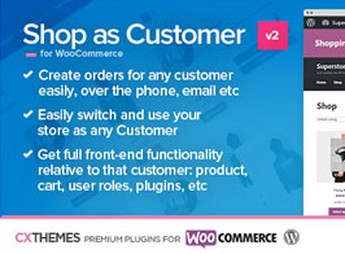
Shop as Customer for WooCommerce allows the administrator to log into the store as any registered customer in WooCommerce, browse the catalog, view prices and promotions applied to that user, and create orders on their behalf from the dashboard. Ideal for those who need to test the real shopping experience before launch, assist customers experiencing difficulties during checkout, or place orders by phone and email without asking the buyer for their password or card details.
Main Features of Shop as Customer for WooCommerce
- Customer impersonation login
Accesses the storefront using the identity of any registered user, without needing their password. - Dashboard order creation
Places purchases on the customer’s behalf directly from the admin area, going through the regular cart and checkout. - Profile-based prices and promotions
Replicates discounts, coupons, and pricing rules specific to that customer during the simulated session. - Quick return to admin
Switches between the customer account and the administrator session without logging in again. - Native WooCommerce integration
Works within the store’s standard flow, without changing templates or replacing the original checkout.
Benefits of Shop as Customer for WooCommerce
- Realistic testing before launch
You can validate the complete checkout with real accounts instead of relying only on pages in preview mode. - Faster customer support
Support reproduces the reported issue within the customer’s actual account and resolves it without exchanging screenshots. - Phone-assisted sales
Orders placed through chat or phone calls are completed without collecting sensitive information such as the buyer’s password or card details. - User-specific bug diagnosis
Identifies issues that affect only certain profiles (wholesale, VIP, B2B) without affecting the customer’s environment.
Who Is Shop as Customer for WooCommerce For?
- Those who manage a WooCommerce store with customer-level pricing rules (wholesale, VIP, distributor).
- Phone or chat support teams that need to place orders on the buyer’s behalf.
- You, if you are about to launch a store and want to simulate the shopping journey across multiple test accounts.
- Support teams that need to reproduce bugs reported by specific customers without requesting the user’s password.
How to Download Shop as Customer for WooCommerce
Shop as Customer for WooCommerce is available for download here on Ultrapack. After downloading the .zip file, install it through Plugins > Add New > Upload Plugin, select the file, and activate it. After that, a new impersonation login button appears in the WordPress user list, integrated with the WooCommerce flow.
Designed to shorten the distance between those who manage the store and the buyer’s real experience, the plugin turns the admin account into a complete simulation console, replicating the cart, shipping, coupons, and checkout from the customer’s perspective. For operations that depend on human support or continuous validation of pricing rules, this direct access avoids long debugging sessions with screenshots and vague reports.
Frequently asked questions
Is Shop as Customer for WooCommerce GPL-licensed?
Yes. Shop as Customer for WooCommerce is distributed under the GPL (GNU General Public License). You may legally use, modify and redistribute it on as many sites as you want.
Can I use Shop as Customer for WooCommerce on multiple sites?
Yes. You can install Shop as Customer for WooCommerce on as many sites as you want. Only automatic updates through Ultrapack Auto Updater have a limit: from 3 to 80 sites, depending on the plan.
How much does Shop as Customer for WooCommerce cost at Ultrapack?
Shop as Customer for WooCommerce costs US$2.99 as a single purchase, and it is also included in the subscription plans starting at US$12/mo (VIP I).
Does Shop as Customer for WooCommerce include updates?
Yes. The current version of Shop as Customer for WooCommerce is 2.16, published at Ultrapack on May 7, 2019. Subscribers update straight from the WordPress dashboard with UAU (Ultrapack Auto Updater).
Is Shop as Customer for WooCommerce scanned before publication?
Yes. Every version of Shop as Customer for WooCommerce goes through a malware scan (ClamAV and YARA rules, at UltraHub) before it is published.
How to install
Automatic updates: this item is updated by the Ultrapack Auto Updater. With it installed, the new version shows up in your dashboard like any other WordPress update (how to set it up).
- Download the file
codecanyon-7043722-shop-as-customer-for-woocommerce.zip. - In the WordPress dashboard, go to Plugins > Add New > Upload Plugin.
- Select the file
codecanyon-7043722-shop-as-customer-for-woocommerce.zipand click Install Now. - Click Activate.
Stuck on a step? Open a ticket telling us which one you stopped at.