

 UAU Ready
Description
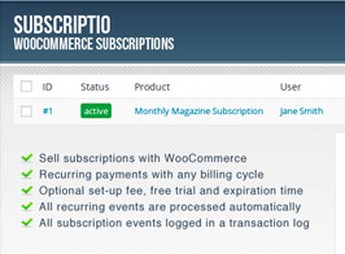
The Subscriptio – WooCommerce Subscriptions lets you manage recurring subscriptions in WooCommerce for those who sell plans, clubs, and products with periodic billing, creating subscription products, billing cycles, and renewal orders within the store’s checkout flow. It helps anyone who needs to turn one-time purchases into recurring revenue, while keeping control over status, payments, and related access without relying on manual processes outside the dashboard.
Key Features of the Subscriptio – WooCommerce Subscriptions
- Subscription products
Creates items with recurring billing directly in the WooCommerce catalog. - Billing cycles
Sets periods, intervals, and duration for each subscription sold. - Automatic renewals
Generates renewal orders according to the cycle defined in the product. - Subscription status
Manages active, paused, canceled, or expired subscriptions in the dashboard. - Checkout flow
Inserts the recurring purchase into the standard WooCommerce process.
Benefits of the Subscriptio – WooCommerce Subscriptions
- Recurring revenue
Enables periodic sales without recreating orders manually each cycle. - Operational control
Centralizes subscriptions, renewals, and status in the store dashboard. - Less repetitive work
Reduces manual monitoring of charges and recurring due dates. - Scalable model
Helps you sell plans, clubs, and access with continuous billing.
Who Is the Subscriptio – WooCommerce Subscriptions For?
- Anyone selling subscription clubs, recurring boxes, or products shipped per cycle.
- You who need to charge monthly fees, access plans, or periodic services through WooCommerce.
- Anyone already using WooCommerce and wants to turn regular products into items with recurring renewals.
How to Download the Subscriptio – WooCommerce Subscriptions
The Subscriptio – WooCommerce Subscriptions is available for download here on Ultrapack. After downloading the .zip file, install it in Plugins > Add New > Upload plugin, select the file, and activate it through the WordPress dashboard.
The Subscriptio – WooCommerce Subscriptions fits stores that need to sell continuity: product subscriptions, access plans, periodic billing, and renewals linked to WooCommerce. By organizing this flow within the dashboard itself, the plugin reduces reliance on external controls and makes it easier to track each subscription more predictably.
Frequently asked questions
Is Subscriptio – WooCommerce Subscriptions GPL-licensed?
Yes. Subscriptio – WooCommerce Subscriptions is distributed under the GPL (GNU General Public License). You may legally use, modify and redistribute it on as many sites as you want.
Can I use Subscriptio – WooCommerce Subscriptions on multiple sites?
Yes. You can install Subscriptio – WooCommerce Subscriptions on as many sites as you want. Only automatic updates through Ultrapack Auto Updater have a limit: from 3 to 80 sites, depending on the plan.
How much does Subscriptio – WooCommerce Subscriptions cost at Ultrapack?
Subscriptio – WooCommerce Subscriptions costs US$2.99 as a single purchase, and it is also included in the subscription plans starting at US$12/mo (VIP I).
Does Subscriptio – WooCommerce Subscriptions include updates?
Yes. The current version of Subscriptio – WooCommerce Subscriptions is 3.0.7, published at Ultrapack on Oct 20, 2021. Subscribers update straight from the WordPress dashboard with UAU (Ultrapack Auto Updater).
Is Subscriptio – WooCommerce Subscriptions scanned before publication?
Yes. Every version of Subscriptio – WooCommerce Subscriptions goes through a malware scan (ClamAV and YARA rules, at UltraHub) before it is published.
How to install
Automatic updates: this item is updated by the Ultrapack Auto Updater. With it installed, the new version shows up in your dashboard like any other WordPress update (how to set it up).
The file on this page is the developer’s full package, documentation included. Do not upload that file through the dashboard: WordPress answers that the package does not contain a valid plugin. The plugin comes ready inside it, as a ZIP of its own, and that is the one you upload.
- Download the file
codecanyon-8754068-subscriptio-woocommerce-subscriptions.zipand extract it on your computer. - Look inside the extracted files for the file
subscriptio.zip. - In the WordPress dashboard, go to Plugins > Add New > Upload Plugin.
- Select that file, click Install Now and then Activate.
- There is nothing to zip. The ZIP inside the package is already in the format WordPress accepts.
- The rest of the package belongs to the author: documentation, license and sometimes sample files. None of that is installed through the dashboard.
Stuck on a step? Open a ticket telling us which one you stopped at.

