 UAU Ready
Description
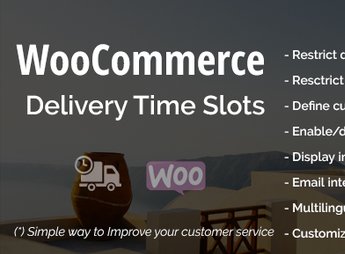
The WooCommerce Delivery Time Slots plugin is a practical and efficient solution for managing delivery times in WooCommerce online stores. This plugin allows customers to choose the best time to receive their orders, enhancing the user experience and optimizing delivery logistics.
Key Features
- Time Slot Management:
Allows you to configure available delivery time slots. - Business Day Customization:
Allows you to customize the days available for delivery. - Daily Delivery Limits:
Sets the maximum number of deliveries per day or time slot. - WooCommerce Compatibility:
Full integration with the WooCommerce platform. - Google Calendar Integration:
Allows synchronization with Google Calendar to view scheduled deliveries. - Shipping Zone Configuration:
Allows you to configure different times and days for each shipping zone.
Benefits of the WooCommerce Delivery Time Slots plugin
- Improved Logistics: Enables effective delivery route planning.
- Time Optimization: Reduces customer waiting time by allowing them to choose their delivery time.
- Customer Satisfaction: Increases customer satisfaction by offering a personalized shopping experience.
- Delivery Organization: Makes delivery management easier through Google Calendar integration.
Who Is It For?
- Online store administrators seeking to improve the customer experience with personalized deliveries.
- Logistics managers who need to optimize and organize delivery routes.
- Online stores that need an efficient solution for managing delivery times.
The versatility and efficiency of the WooCommerce Delivery Time Slots plugin make it an ideal option for online stores seeking to optimize their delivery operations. By offering personalized delivery times, it not only enhances the customer experience but also increases logistics efficiency, making it a sound choice for online store administrators.
Frequently asked questions
Is WooCommerce Delivery Time Slots GPL-licensed?
Yes. WooCommerce Delivery Time Slots is distributed under the GPL (GNU General Public License). You may legally use, modify and redistribute it on as many sites as you want.
Can I use WooCommerce Delivery Time Slots on multiple sites?
Yes. You can install WooCommerce Delivery Time Slots on as many sites as you want. Only automatic updates through Ultrapack Auto Updater have a limit: from 3 to 80 sites, depending on the plan.
How much does WooCommerce Delivery Time Slots cost at Ultrapack?
WooCommerce Delivery Time Slots costs US$2.99 as a single purchase, and it is also included in the subscription plans starting at US$12/mo (VIP I).
Does WooCommerce Delivery Time Slots include updates?
Yes. The current version of WooCommerce Delivery Time Slots is 2.1.2, published at Ultrapack on May 19, 2025. Subscribers update straight from the WordPress dashboard with UAU (Ultrapack Auto Updater).
Is WooCommerce Delivery Time Slots scanned before publication?
Yes. Every version of WooCommerce Delivery Time Slots goes through a malware scan (ClamAV and YARA rules, at UltraHub) before it is published.
How to install
Automatic updates: this item is updated by the Ultrapack Auto Updater. With it installed, the new version shows up in your dashboard like any other WordPress update (how to set it up).
- Download the file
elements-woocommerce-delivery-time-slots.zip. - In the WordPress dashboard, go to Plugins > Add New > Upload Plugin.
- Select the file
elements-woocommerce-delivery-time-slots.zipand click Install Now. - Click Activate.
Stuck on a step? Open a ticket telling us which one you stopped at.