

 UAU Ready
Description
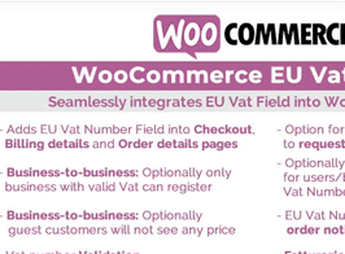
The WooCommerce Eu Vat & B2B adds a VAT Number field to the WooCommerce checkout and validates the number directly in VIES (the official system of the European Commission), automatically removing the tax when the customer is an eligible business. The plugin also provides a business/consumer selector, country-specific fields (Codice Fiscale and SDI/PEC in Italy, NIF/NIE/CIF in Spain, Tax Office in Greece) and an option to restrict registration to companies with a valid VAT only.
Key Features of the WooCommerce Eu Vat & B2B
- Validation via VIES
Checks the VAT number in real time in the official system of the European Commission or only by format. - Automatic tax exemption
Removes VAT from the cart and checkout when the provided number is successfully validated. - Tax fields by country
Displays Codice Fiscale and SDI/PEC for Italy, NIF/NIE/CIF for Spain, and Tax Office for Greece. - Business or consumer selector
Conditionally shows or hides the business and VAT fields depending on the buyer type. - Registration restricted to businesses
Enables B2B mode that accepts only registrations linked to a valid VAT Number. - Invoice request
Includes a “Request an invoice” checkbox for customers who need a formal invoice. - Compatibility with HPOS
Works with WooCommerce’s High-Performance Order Storage for large order volumes.
Benefits of the WooCommerce Eu Vat & B2B
- Tax compliance in the European Union
Meets the VAT collection rules for intra-Community sales without manual adjustments per order. - Checkout tailored to each market
Reduces friction by showing only the tax fields required in each customer’s country. - Less administrative work
Automates VAT verification and tax removal, avoiding manual checks before invoicing. - Store ready for B2B sales
Filters registrations and orders by company, aligning the operation with a corporate audience.
Who Is the WooCommerce Eu Vat & B2B For?
- Anyone selling to businesses in the European Union and needs to apply VAT exemption in intra-Community transactions.
- For those operating in wholesale and want to accept only buyers with a valid European CNPJ in the store.
- Anyone invoicing for Italy, Spain, Greece, the Czech Republic, or Slovakia and needs to collect local tax fields.
- You who already use WooCommerce PDF Invoices, YITH Request a Quote, or WPML and want to integrate the VAT part into the same workflow.
How to Download the WooCommerce Eu Vat & B2B
The WooCommerce Eu Vat & B2B is available for download here on Ultrapack. After downloading the .zip file, install it in Plugins > Add New > Upload plugin, select the package, and enable it from the panel. The settings appear in WooCommerce > Settings, in the dedicated tab for EU VAT and B2B.
For WooCommerce stores that invoice in the Euro zone, the WooCommerce Eu Vat & B2B is the bridge between the standard checkout and European tax reality, connecting VIES, country-specific fields, and automatic exemption in a single plugin. The combination with PDF Invoices and WPML also makes it easier to issue multilingual notes in compliance with the intra-Community VAT regime.
Frequently asked questions
Is WooCommerce Eu Vat & B2B GPL-licensed?
Yes. WooCommerce Eu Vat & B2B is distributed under the GPL (GNU General Public License). You may legally use, modify and redistribute it on as many sites as you want.
Can I use WooCommerce Eu Vat & B2B on multiple sites?
Yes. You can install WooCommerce Eu Vat & B2B on as many sites as you want. Only automatic updates through Ultrapack Auto Updater have a limit: from 3 to 80 sites, depending on the plan.
How much does WooCommerce Eu Vat & B2B cost at Ultrapack?
WooCommerce Eu Vat & B2B costs US$2.99 as a single purchase, and it is also included in the subscription plans starting at US$12/mo (VIP I).
Does WooCommerce Eu Vat & B2B include updates?
Yes. The current version of WooCommerce Eu Vat & B2B is 13.2, published at Ultrapack on Oct 15, 2025. Subscribers update straight from the WordPress dashboard with UAU (Ultrapack Auto Updater).
Is WooCommerce Eu Vat & B2B scanned before publication?
Yes. Every version of WooCommerce Eu Vat & B2B goes through a malware scan (ClamAV and YARA rules, at UltraHub) before it is published.
How to install
Automatic updates: this item is updated by the Ultrapack Auto Updater. With it installed, the new version shows up in your dashboard like any other WordPress update (how to set it up).
The file on this page is the developer’s full package, documentation included. Do not upload that file through the dashboard: WordPress answers that the package does not contain a valid plugin. The plugin comes ready inside it, as a ZIP of its own, and that is the one you upload.
- Download the file
elements-woocommerce-eu-vat-b2b.zipand extract it on your computer. - Look inside the extracted files for the file
woocommerce-eu-vat-field.zip. - In the WordPress dashboard, go to Plugins > Add New > Upload Plugin.
- Select that file, click Install Now and then Activate.
- There is nothing to zip. The ZIP inside the package is already in the format WordPress accepts.
- The rest of the package belongs to the author: documentation, license and sometimes sample files. None of that is installed through the dashboard.
Stuck on a step? Open a ticket telling us which one you stopped at.


