UAU Ready
Description
WooCommerce – Minimum/Maximum Quantities sets minimum and maximum quantity limits for products, variations, and categories in your WooCommerce store, blocking checkout when the cart violates the configured rules. Ideal for merchants who sell wholesale, work with fixed bundles, or need to control minimum order volume for logistical, tax, or margin reasons.
Key Features
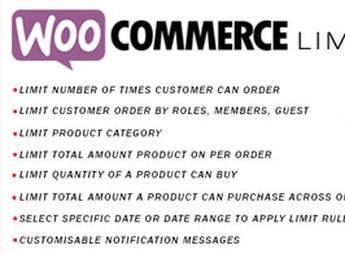
- Product limits: set minimum and maximum quantities individually for each catalog item, with independent rules by SKU.
- Variation rules: apply specific restrictions to each product variation, controlling sizes, colors, or models with their own limits.
- Category control: configure global limits for entire categories, standardizing sales rules across groups of related products.
- Minimum cart value: require a minimum total number of items or monetary value to enable the checkout button.
- Custom messages: display customized notices to customers when they try to buy below or above the allowed limits.
Benefits of WooCommerce – Minimum/Maximum Quantities
- Simplified wholesale: ensures profitable minimum orders, preventing scattered sales that compromise operating margins.
- Predictable logistics: aligns order volume with packaging and shipping capacity, reducing fulfillment issues.
- Inventory control: prevents a single customer from depleting limited products by setting a maximum limit per order.
- Clear experience: explanatory messages in the cart guide buyers through the rules before checkout, reducing abandonment due to surprises.
Who Is It For?
- Wholesale or B2B stores that need a minimum order to operate with financial viability.
- E-commerce stores with limited products, special editions, or low inventory that require a purchase limit per customer.
- Distributors and resellers who sell in fixed multiples (boxes, bundles, kits) and need to enforce increments in the cart.
WooCommerce – Minimum/Maximum Quantities provides granular control over what can enter your store’s cart, with flexible rules that adapt from B2B models to e-commerce stores with specific restrictions. The combination of limits by product, variation, and category, along with control over the cart’s total value, covers common scenarios in Brazilian commerce such as closed-box sales, minimum orders for free shipping, and protection of scarce inventory against stockpilers.
Frequently asked questions
Is WooCommerce – Minimum/Maximum Quantities GPL-licensed?
Yes. WooCommerce – Minimum/Maximum Quantities is distributed under the GPL (GNU General Public License). You may legally use, modify and redistribute it on as many sites as you want.
Can I use WooCommerce – Minimum/Maximum Quantities on multiple sites?
Yes. You can use WooCommerce – Minimum/Maximum Quantities on multiple sites. The number of sites connected to Ultrapack Auto Updater is limited by your plan.
How much does WooCommerce – Minimum/Maximum Quantities cost at Ultrapack?
WooCommerce – Minimum/Maximum Quantities costs US$2.99 as a single purchase, and it is also included in the subscription plans starting at US$12/mo (VIP I).
Does WooCommerce – Minimum/Maximum Quantities include updates?
Yes. The current version of WooCommerce – Minimum/Maximum Quantities is 2.1.5, published at Ultrapack on Aug 2, 2022. Subscribers update straight from the WordPress dashboard with UAU (Ultrapack Auto Updater).
Is WooCommerce – Minimum/Maximum Quantities scanned before publication?
Yes. Every version of WooCommerce – Minimum/Maximum Quantities goes through a malware scan (ClamAV and YARA rules, at UltraHub) before it is published.
How to install
Automatic updates: this item is updated by the Ultrapack Auto Updater. With it installed, the new version shows up in your dashboard like any other WordPress update (how to set it up).
The file on this page is the developer’s full package, documentation included. Do not upload that file through the dashboard: WordPress answers that the package does not contain a valid plugin. The plugin comes ready inside it, as a ZIP of its own, and that is the one you upload.
- Download the file
codecanyon-12863509-woocommerce-minimummaximum-quantities.zipand extract it on your computer. - Look inside the extracted files for the file
woo-min-max-quantities-package/plugin/woo-min-max-quantities.zip. - In the WordPress dashboard, go to Plugins > Add New > Upload Plugin.
- Select that file, click Install Now and then Activate.
- There is nothing to zip. The ZIP inside the package is already in the format WordPress accepts.
- The rest of the package belongs to the author: documentation, license and sometimes sample files. None of that is installed through the dashboard.
Stuck on a step? Open a ticket telling us which one you stopped at.