Description
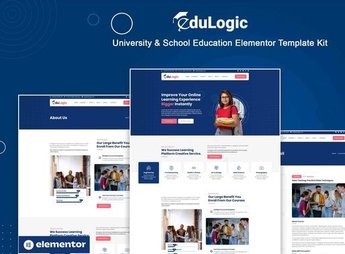
Eastwood assembles a complete website for a school, college, or university, bringing together ready-made blocks for course grids, faculty, academic calendar, events, and pre-registration form already organized within Elementor. It serves those who administer an educational institution, coordinate a technical course, or represent a language school and need to present the curriculum, faculty, and exam schedule to capture new enrollments in an organized manner.
Main Features of Eastwood
- List of courses offered
Lists disciplines, class hours, and available modalities at the institution. - Presentation of the faculty
Shows professors with photo, education, and subjects they teach. - Academic calendar
Displays dates of exams, enrollments, and important events of the semester. - Pre-registration form
Receives registrations from new students directly on the course page. - Gallery of structure and events
Shows photos of classrooms, laboratories, and activities carried out at the institution.
Benefits of Eastwood
- Increased enrollments
Facilitates registration directly through the website, without relying on in-person service. - Transparency with families
Shows the curriculum and faculty before the enrollment is finalized. - Organization of academic information
Gathers dates, courses, and contacts in one easily accessible place. - Updated institutional image
Replaces an outdated website with a modern and responsive layout.
Who is Eastwood for?
- Those who administer a primary or secondary school.
- Those who coordinate a technical, vocational, or preparatory course.
- Those who represent a college, university, or language school.
- Those who organize the enrollment process of an educational institution.
How to Download Eastwood
The Eastwood is available for download here on Ultrapack. After obtaining the file, import the kit in Elementor > Tools > Import Kit, directly from the WordPress dashboard. The course, faculty, and registration sections arrive ready, just needing to adjust texts and photos of the institution.
Families and students tend to research extensively before deciding where to study, and a disorganized website can cost enrollments even when the teaching is good. With the main sections already structured, there is time to update the calendar and closely monitor the selection process.
Frequently asked questions
Is Eastwood – University & School Elementor Template Kit GPL?
Yes. Eastwood – University & School Elementor Template Kit is distributed under the GPL (GNU General Public License). You may legally use, modify and redistribute it on as many sites as you want.
Can I use Eastwood – University & School Elementor Template Kit on more than one site?
Yes. You can use Eastwood – University & School Elementor Template Kit on as many sites as you want.
How much does Eastwood – University & School Elementor Template Kit cost at Ultrapack?
Eastwood – University & School Elementor Template Kit costs US$2.99 as a single purchase, and it is also included in the subscription plans starting at US$17/mo (Desenvolvedor I).
Does Eastwood – University & School Elementor Template Kit include updates?
When a new version of Eastwood – University & School Elementor Template Kit becomes available in the catalog, you can download the file during the access period of your purchase or subscription. To update, follow the installation or import procedure described in the documentation for the item and its platform.
Is Eastwood – University & School Elementor Template Kit checked before it is made available for download?
Files for Eastwood – University & School Elementor Template Kit are scanned before publication by UltraHub using ClamAV and YARA rules to detect known threats. This check does not guarantee the absence of risks. Check the item requirements, make a backup, and follow the installation or import instructions for its platform.
How to install
Updates: manual. When a new version comes out, download it on this same page and import it again with Template Kit Import. Template Kits are not updated from the WordPress Themes or Plugins screen.
A template kit is neither a theme nor a plugin. It is imported, and it needs Elementor installed on the site.
- Install and activate the Template Kit Import plugin, which is also here in the catalog.
- Download the file
eastwood-university-school-elementor-template-kit.zip. - In the WordPress dashboard, go to Template Kits > Import Kit and upload the file
eastwood-university-school-elementor-template-kit.zip. - Pick the templates you want to import and confirm.
- The imported templates end up under Templates > Saved Templates, ready to open in Elementor.
- Some kits use Elementor Pro features. Without it the templates still import, but some blocks have no effect.
Stuck on a step? Open a ticket telling us which one you stopped at.