 UAU Ready
Description
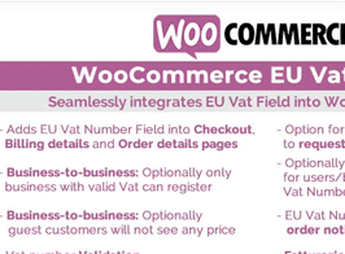
The WooCommerce EU VAT Assistant addon allows automated management of European Union VAT taxation (EU VAT), ensuring tax compliance for those selling digital products and services on WooCommerce. It automates the collection of customer location evidence, validation of VAT numbers via VIES, and the correct calculation of taxes, significantly simplifying VAT MOSS report generation.
Main Features of WooCommerce EU VAT Assistant
- Location-Based Calculation
Automatically determines the applicable VAT based on the buyer’s geographic location, ensuring tax accuracy. - VAT Number Validation via VIES
Checks the validity of EU tax identification numbers (VAT numbers) through the VIES system in real time. - VAT MOSS Report Generation
Compiles and prepares all necessary data for VAT MOSS reports, facilitating tax filing. - Collection of Location Evidence
Automatically records the required proof of location for compliance with EU VAT rules. - Integration with WooCommerce Subscriptions
Synchronizes VAT calculation and application for recurring sales and subscription products.
Benefits of WooCommerce EU VAT Assistant
- Simplified Tax Compliance
Ensures your store is always up to date with the complex European Union VAT regulations. - Reduction of Manual Errors
Eliminates the chance of mistakes in VAT calculation and reporting, saving time and avoiding fines. - Streamlined Checkout Process
Keeps the shopping experience uninterrupted by transparently applying the correct tax to customers. - Operational Time Savings
Automates repetitive VAT control tasks, allowing focus on growing your business.
Who is WooCommerce EU VAT Assistant Recommended For?
- Those selling digital products or services to customers within the European Union via WooCommerce.
- Anyone looking to automate VAT calculation and reporting while avoiding complexity and manual errors.
- Users of WooCommerce Subscriptions who need an integrated solution for recurring sales tax management.
How to Download WooCommerce EU VAT Assistant
WooCommerce EU VAT Assistant is available for download here on Ultrapack. After downloading the .zip file, install the plugin under “Plugins > Add New > Upload Plugin,” select the file, and activate it. The package is complete and ready for immediate installation on your WordPress site.
Even with its end-of-life (EOL) status, WooCommerce EU VAT Assistant remains a robust solution for WooCommerce stores needing to manage EU VAT. It simplifies a critical aspect of international e-commerce, enabling you to focus on expanding your sales with the confidence of automatic and transparent tax compliance for your customers.
Frequently asked questions
Is Aelia | WooCommerce EU VAT Assistant GPL-licensed?
Yes. Aelia | WooCommerce EU VAT Assistant is distributed under the GPL (GNU General Public License). You may legally use, modify and redistribute it on as many sites as you want.
Can I use Aelia | WooCommerce EU VAT Assistant on multiple sites?
Yes. You can install Aelia | WooCommerce EU VAT Assistant on as many sites as you want. Only automatic updates through Ultrapack Auto Updater have a limit: from 3 to 80 sites, depending on the plan.
How much does Aelia | WooCommerce EU VAT Assistant cost at Ultrapack?
Aelia | WooCommerce EU VAT Assistant costs US$2.99 as a single purchase, and it is also included in the subscription plans starting at US$12/mo (VIP I).
Does Aelia | WooCommerce EU VAT Assistant include updates?
Yes. The current version of Aelia | WooCommerce EU VAT Assistant is 1.9.16.191004, published at Ultrapack on Aug 11, 2020. Subscribers update straight from the WordPress dashboard with UAU (Ultrapack Auto Updater).
Is Aelia | WooCommerce EU VAT Assistant scanned before publication?
Yes. Every version of Aelia | WooCommerce EU VAT Assistant goes through a malware scan (ClamAV and YARA rules, at UltraHub) before it is published.
What are the requirements for the plugin Aelia | WooCommerce EU VAT Assistant?
Requires WordPress 4.0 or higher. Tested up to WordPress 5.2.
What changed in this version
Version 1.9.16.191004
- Improvement - Improved handling of response from VIES service.
Version 1.9.15.190819
- Updated supported WooCommerce versions.
Version 1.9.14.190618
- Tweak - Improved user interface on My Account > Edit Billing Address. The "VAT Number" field is now displayed on its own line.
Version 1.9.13.190520
- Tweak - Updated URL of ECB exchange rate feed for historical rates.
- Tweak - Optimised logic used to fetch rates from the ECB historical feed.
- Updated language files.
Version 1.9.12.190516
- Tweak - Reduced size of column `aelia_exchange_rates_history.provider_name`. This is to prevent errors in MySQL 5.6 and earlier, due to the primary key being too long.
- Fix - Fixed layout of the footer in "Sales Summary Report (VAT RTD)", to produce the correct CSV file during export.
Release notes published by the developer.
How to install
Automatic updates: this item is updated by the Ultrapack Auto Updater. With it installed, the new version shows up in your dashboard like any other WordPress update (how to set it up).
- Download the file
woocommerce-eu-vat-assistant.zip. - In the WordPress dashboard, go to Plugins > Add New > Upload Plugin.
- Select the file
woocommerce-eu-vat-assistant.zipand click Install Now. - Click Activate.
Requirements: Requires WordPress 4.0 or higher. Tested up to WordPress 5.2.
Stuck on a step? Open a ticket telling us which one you stopped at.