UAU Ready
Description
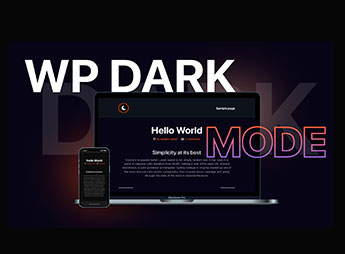
Built for WordPress, Darklup Pro Ultimate adds dark mode to the frontend, wp-admin, and login screens, with a floating toggle, operating system preference detection, and time-based scheduling. It suits content sites, portfolios, and WooCommerce stores that need to adapt colors, images, buttons, and admin areas without rebuilding the theme or relying on manual CSS in each section.
Key Features of Darklup Pro Ultimate
- Dynamic dark mode
Analyzes page elements and adjusts colors by visual component. - Floating toggle
Displays switch buttons with customizable styles on the frontend. - Time-based scheduling
Automatically enables dark mode during set periods. - Accessibility panel
Includes visual controls for reading, contrast, and navigation. - WooCommerce support
Adapts product, cart, and checkout pages to dark mode.
Benefits of Darklup Pro Ultimate
- More comfortable reading
Reduces eye strain during long sessions or in low-light environments. - Fewer manual adjustments
Reduces dependence on specific CSS for each area of the site. - Consistent experience
Keeps navigation, store, and panel with a visually aligned appearance. - Control for visitors
Allows switching according to individual preference or device configuration.
Who Is Darklup Pro Ultimate For?
- Those who run content sites and want comfortable reading in both light and dark modes.
- Those who sell through WooCommerce and need to adapt product, cart, and checkout pages to a dark look.
- You who manage internal WordPress areas and want to reduce eye strain in the dashboard.
How to Download Darklup Pro Ultimate
Darklup Pro Ultimate is available for download here at Ultrapack. After downloading the .zip file, install it in Plugins > Add New > Upload Plugin, select the .zip, and activate it. After activation, configure dark mode from the WordPress dashboard.
Darklup Pro Ultimate stands out by treating dark mode as a functional layer of the site, not just a visual inversion. The combination of automatic detection, floating toggle, color rules, image support, and WooCommerce compatibility helps keep public pages and internal areas more legible, with centralized configuration in WordPress.
Frequently asked questions
Is Darklup Pro Ultimate – WP Dark Mode GPL-licensed?
Yes. Darklup Pro Ultimate – WP Dark Mode is distributed under the GPL (GNU General Public License). You may legally use, modify and redistribute it on as many sites as you want.
Can I use Darklup Pro Ultimate – WP Dark Mode on multiple sites?
Yes. You can install Darklup Pro Ultimate – WP Dark Mode on as many sites as you want. Only automatic updates through Ultrapack Auto Updater have a limit: from 3 to 80 sites, depending on the plan.
How much does Darklup Pro Ultimate – WP Dark Mode cost at Ultrapack?
Darklup Pro Ultimate – WP Dark Mode costs US$2.99 as a single purchase, and it is also included in the subscription plans starting at US$12/mo (VIP I).
Does Darklup Pro Ultimate – WP Dark Mode include updates?
Yes. The current version of Darklup Pro Ultimate – WP Dark Mode is 3.2.11, published at Ultrapack on Jan 16, 2026. Subscribers update straight from the WordPress dashboard with UAU (Ultrapack Auto Updater).
Is Darklup Pro Ultimate – WP Dark Mode scanned before publication?
Yes. Every version of Darklup Pro Ultimate – WP Dark Mode goes through a malware scan (ClamAV and YARA rules, at UltraHub) before it is published.
How to install
Automatic updates: this item is updated by the Ultrapack Auto Updater. With it installed, the new version shows up in your dashboard like any other WordPress update (how to set it up).
- Download the file
darklup.zip. - In the WordPress dashboard, go to Plugins > Add New > Upload Plugin.
- Select the file
darklup.zipand click Install Now. - Click Activate.
Stuck on a step? Open a ticket telling us which one you stopped at.