

 UAU Ready
Description
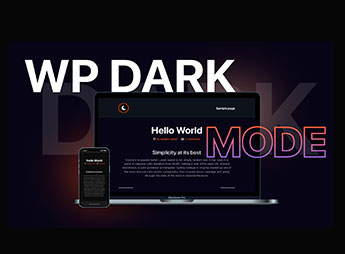
WP Dark Mode Ultimate automatically enables dark mode on the frontend and in the admin dashboard of WordPress, applying high-contrast color schemes based on the visitor’s operating system preference. The tool includes customizable floating buttons, support for preset palettes, and time-based scheduling, serving those who manage blogs with extended nighttime reading or online stores seeking to reduce visitors’ eye strain.
Key Features of WP Dark Mode Ultimate
- Automatic system detection
Identifies the dark theme preference configured on the user’s device. - Dark mode in wp-admin
Applies a dark background to every screen in the admin dashboard. - Customizable floating triggers
Adds toggle controls with different shapes, positions, and visual animations. - Image and logo replacement
Automatically replaces light images with dark versions when the mode is enabled. - Time-based scheduling
Defines specific periods of the day for enabling or disabling the dark color scheme.
Benefits of WP Dark Mode Ultimate
- Reduced eye strain
Ensures comfort for readers browsing content in low-light environments. - Lower battery consumption
Reduces energy usage on OLED screens while browsing on mobile devices. - Longer visit duration
Keeps visitors browsing longer by providing a more comfortable nighttime reading experience. - Code-free visual customization
Allows you to adjust background and text colors without writing CSS rules.
Who Is WP Dark Mode Ultimate For?
- Those who manage news portals, blogs, or documentation with a high volume of text-based reading.
- Those who run WooCommerce stores and want to offer customers modern viewing options.
- Website creators who need to implement dark color schemes compatible with Elementor, Gutenberg, and other builders.
How to Download WP Dark Mode Ultimate
WP Dark Mode Ultimate is available for download here at Ultrapack. After downloading the .zip file, go to the WordPress dashboard and select Plugins > Add New > Upload Plugin, choose the package, and click activate. The file is complete and ready for immediate installation.
By integrating balanced color schemes and dynamic switching on the frontend and backend, the plugin simplifies the visual adaptation of WordPress for dark environments. The solution preserves your brand’s visual identity with custom controls and intelligent media replacement, maintaining a modern browsing environment that respects each visitor’s display preferences.
Frequently asked questions
Is WP Dark Mode Ultimate GPL-licensed?
Yes. WP Dark Mode Ultimate is distributed under the GPL (GNU General Public License). You may legally use, modify and redistribute it on as many sites as you want.
Can I use WP Dark Mode Ultimate on multiple sites?
Yes. You can install WP Dark Mode Ultimate on as many sites as you want. Only automatic updates through Ultrapack Auto Updater have a limit: from 3 to 80 sites, depending on the plan.
How much does WP Dark Mode Ultimate cost at Ultrapack?
WP Dark Mode Ultimate costs US$2.99 as a single purchase, and it is also included in the subscription plans starting at US$12/mo (VIP I).
Does WP Dark Mode Ultimate include updates?
Yes. The current version of WP Dark Mode Ultimate is 4.0.16, published at Ultrapack on Feb 20, 2026. Subscribers update straight from the WordPress dashboard with UAU (Ultrapack Auto Updater).
Is WP Dark Mode Ultimate scanned before publication?
Yes. Every version of WP Dark Mode Ultimate goes through a malware scan (ClamAV and YARA rules, at UltraHub) before it is published.
What are the requirements for the plugin WP Dark Mode Ultimate?
Requires WordPress 4.6 or higher and PHP 5.6 or higher. Tested up to WordPress 6.9.
How to install
Automatic updates: this item is updated by the Ultrapack Auto Updater. With it installed, the new version shows up in your dashboard like any other WordPress update (how to set it up).
- Download the file
wp-dark-mode-ultimate.zip. - In the WordPress dashboard, go to Plugins > Add New > Upload Plugin.
- Select the file
wp-dark-mode-ultimate.zipand click Install Now. - Click Activate.
Requirements: Requires WordPress 4.6 or higher and PHP 5.6 or higher. Tested up to WordPress 6.9.
Stuck on a step? Open a ticket telling us which one you stopped at.


