

Description
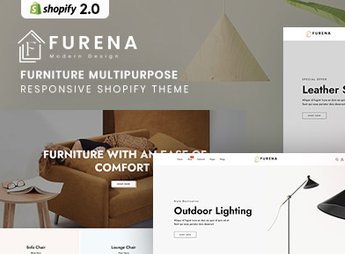
Furena builds a Shopify store for the furniture and home decor segment, with a product grid, collection pages, and highlight sections already assembled to the platform’s theme 2.0 standard. The theme organizes room-setting photos, product variants (color, material, size), and text blocks into sections that can be reorganized by dragging and dropping inside Shopify’s visual editor, requiring no coding knowledge to assemble each page of the store.
Furena’s Main Features
- Product room-setting photos
Displays the furniture piece inside a room composition, not isolated against a white background. - Variants by color and material
Lets the customer choose finish, fabric, or color before adding the item to the cart. - Multipurpose category grid
Organizes furniture, lighting, and decor objects into separate sections on the homepage. - Collection page with filter
Allows filtering by room, color, or price range within the collection. - Promotional banner sections
Highlights new arrivals and seasonal promotions right at the top of the homepage.
Furena’s Benefits
- More persuasive visual catalog
Helps the customer picture the piece inside their own home before buying. - Less doubt about finish
Reduces exchanges and returns by showing color and material before the purchase. - Broad organized catalog
Accommodates varied product lines without mixing categories in the same showcase. - Adjustments without a developer
Lets you swap photos, text, and colors directly in Shopify’s visual editor.
Who Is Furena For?
- Anyone who sells furniture and decor items online.
- Anyone who makes custom-order pieces and needs to show finish variants.
- Anyone who already has a physical furniture store and wants an online channel.
- Anyone who resells decor brands and organizes multiple categories in the same store.
How to Download Furena
Furena is available for download here at Ultrapack. After downloading the file, upload it through the Shopify admin under Online Store > Themes > Add theme, and publish it after adjusting photos, colors, and categories.
A furniture store tends to sell on what it shows, not just on price, so having each piece in a room context weighs on the decision of someone comparing options. With the section structure ready to go, the work stays focused on photographing the catalog well and writing the spec sheet for each item.
Frequently asked questions
Is Furena – Furniture Multipurpose Responsive Shopify 2.0 Theme GPL?
Yes. Furena – Furniture Multipurpose Responsive Shopify 2.0 Theme is distributed under the GPL (GNU General Public License). You may legally use, modify and redistribute it on as many sites as you want.
Can I use Furena – Furniture Multipurpose Responsive Shopify 2.0 Theme on more than one site?
Yes. You can use Furena – Furniture Multipurpose Responsive Shopify 2.0 Theme on as many sites as you want.
How much does Furena – Furniture Multipurpose Responsive Shopify 2.0 Theme cost at Ultrapack?
Furena – Furniture Multipurpose Responsive Shopify 2.0 Theme costs US$2.99 as a single purchase, and it is also included in the subscription plans starting at US$17/mo (Desenvolvedor I).
Does Furena – Furniture Multipurpose Responsive Shopify 2.0 Theme include updates?
When a new version of Furena – Furniture Multipurpose Responsive Shopify 2.0 Theme becomes available in the catalog, you can download the file during the access period of your purchase or subscription. To update, follow the installation or import procedure described in the documentation for the item and its platform.
Is Furena – Furniture Multipurpose Responsive Shopify 2.0 Theme checked before it is made available for download?
Files for Furena – Furniture Multipurpose Responsive Shopify 2.0 Theme are scanned before publication by UltraHub using ClamAV and YARA rules to detect known threats. This check does not guarantee the absence of risks. Check the item requirements, make a backup, and follow the installation or import instructions for its platform.
How to install
Updates: manual. When a new version comes out, download it on this same page and upload the new file from the Shopify admin. This item is not installed through WordPress.
A Shopify theme is not installed on WordPress. It is uploaded in your store dashboard.
- Download the file
elements-furena-furniture-multipurpose-shopify-2-0-theme.zipand extract it on your computer. - Inside the package, look for the theme ZIP, which is the file Shopify accepts. It is usually in a folder named after the theme, and it has the
assets,layout,sectionsandtemplatesfolders inside. - In the Shopify dashboard, go to Online Store > Themes.
- Under Theme library, click Add theme > Upload zip file and upload the theme ZIP.
- Use Preview to check it, and Publish when you want it live.
- Shopify rejects packages that are too large. If the upload fails because of size, take the documentation and demo files out of the folder before zipping it.
Stuck on a step? Open a ticket telling us which one you stopped at.


