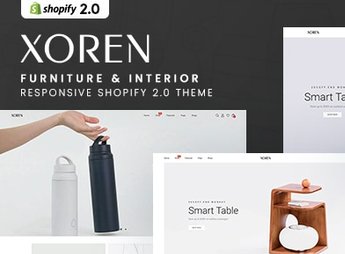
Description
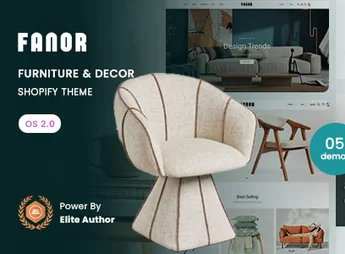
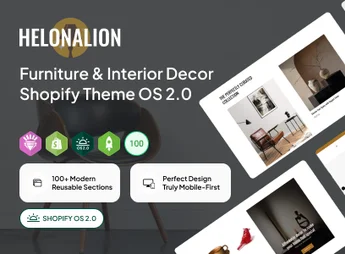
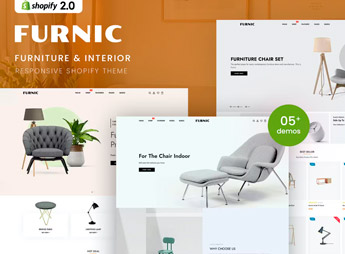
The Xoren theme builds a Shopify store focused on furniture and interior decor items, with wide full-screen galleries, collection blocks organized by room (living room, bedroom, kitchen) and a neutral palette that highlights product photography. It works well for those who sell custom-made furniture, signature woodworking pieces or decor objects and need to show texture, finish, dimensions and scale of each piece before the purchase is made online.
Main Features of Xoren
- Full-screen galleries
Displays each furniture piece in large photos with zoom and multiple viewing angles. - Collections by room
Groups products into living room, bedroom, kitchen and office sections on the homepage. - Filter by material and color
Lets those looking for a specific piece of furniture refine the search by finish and shade. - Quick view in the catalog
Opens product details, measurements and variations without leaving the listing page. - Technical dimensions section
Provides a dedicated field for width, height and depth of each piece sold.
Benefits of Xoren
- Focus on product photography
Gives room for large images that reduce doubts about finish before the purchase. - Structure for a large catalog
Organizes numerous furniture and decor lines without overloading the site’s navigation. - Responsive layout per device
Keeps proportion and legibility of images on mobile, tablet and desktop. - Navigation with a fixed section
Makes it easy to go back to the collection or cart without losing the product being viewed.
Who Is Xoren Recommended For?
- Those who sell custom-made or made-to-order furniture.
- Woodworking shops and studios that manufacture signature pieces.
- Decor stores with a large catalog of home objects.
- Those who resell imported furniture or designer-signed pieces.
How to Download Xoren
Xoren is available for download here on Ultrapack. To install, go to Online Store > Themes > Add theme in the Shopify admin panel and upload the compressed file. After that, organize the collections by room and register the dimensions of each piece before publishing the store.
Those who already sell furniture in a physical showroom gain a showcase capable of reproducing the same attention to finish in the digital environment, with room for each product line to breathe on the screen. The layout works both for a few signature pieces and for a large catalog of home decor.
Frequently asked questions
Is Xoren – Furniture & Interior Responsive Shopify 2.0 Theme GPL?
Yes. Xoren – Furniture & Interior Responsive Shopify 2.0 Theme is distributed under the GPL (GNU General Public License). You may legally use, modify and redistribute it on as many sites as you want.
Can I use Xoren – Furniture & Interior Responsive Shopify 2.0 Theme on more than one site?
Yes. You can use Xoren – Furniture & Interior Responsive Shopify 2.0 Theme on as many sites as you want.
How much does Xoren – Furniture & Interior Responsive Shopify 2.0 Theme cost at Ultrapack?
Xoren – Furniture & Interior Responsive Shopify 2.0 Theme costs US$2.99 as a single purchase, and it is also included in the subscription plans starting at US$17/mo (Desenvolvedor I).
Does Xoren – Furniture & Interior Responsive Shopify 2.0 Theme include updates?
When a new version of Xoren – Furniture & Interior Responsive Shopify 2.0 Theme becomes available in the catalog, you can download the file during the access period of your purchase or subscription. To update, follow the installation or import procedure described in the documentation for the item and its platform.
Is Xoren – Furniture & Interior Responsive Shopify 2.0 Theme checked before it is made available for download?
Files for Xoren – Furniture & Interior Responsive Shopify 2.0 Theme are scanned before publication by UltraHub using ClamAV and YARA rules to detect known threats. This check does not guarantee the absence of risks. Check the item requirements, make a backup, and follow the installation or import instructions for its platform.
How to install
Updates: manual. When a new version comes out, download it on this same page and upload the new file from the Shopify admin. This item is not installed through WordPress.
A Shopify theme is not installed on WordPress. It is uploaded in your store dashboard.
- Download the file
elements-xoren-furniture-interior-shopify-2-0-theme.zipand extract it on your computer. - Inside the package, look for the theme ZIP, which is the file Shopify accepts. It is usually in a folder named after the theme, and it has the
assets,layout,sectionsandtemplatesfolders inside. - In the Shopify dashboard, go to Online Store > Themes.
- Under Theme library, click Add theme > Upload zip file and upload the theme ZIP.
- Use Preview to check it, and Publish when you want it live.
- Shopify rejects packages that are too large. If the upload fails because of size, take the documentation and demo files out of the folder before zipping it.
Stuck on a step? Open a ticket telling us which one you stopped at.