UAU Ready
Description
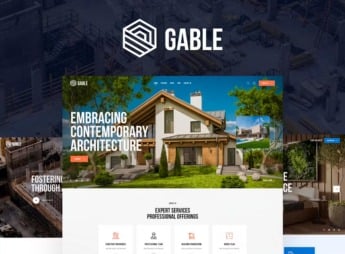
RinBuild organizes the website of a construction company, engineering firm, or industrial company into ready-made blocks for a portfolio of completed projects, a project timeline, services offered, and a quote request form, all within the WordPress Customizer without requiring code. It serves contractors, architecture firms, manufacturers in the industrial sector, and heavy logistics companies that need to showcase completed projects, present their technical team, and capture quote requests directly through the website.
Key Features of RinBuild
- Project portfolio
Displays each completed project with photos, location, and client served. - Project timeline
Shows the stages of a project in visual chronological order. - Technical services page
Details each service offered, from structural design to final execution. - Quote request form
Collects project details and direct contact information right on the page. - RTL text support
Adapts the entire layout for languages written from right to left.
Benefits of RinBuild
- Showcase of completed projects
Reinforces the company’s credibility by showing real results from previous projects. - Quote generation
Shortens the path between an interested visitor and the first business contact. - No-code structure
Allows pages to be assembled and edited through the native WordPress Customizer. - International reach
Makes it easier to expand into markets that read from right to left.
Who Is RinBuild For?
- Contractors that need to showcase a portfolio of completed projects.
- Engineering and architecture firms that close contracts through online quotes.
- Manufacturers and companies in the industrial sector with a catalog of technical services.
- Anyone serving Arabic markets or other languages written in RTL.
How to Download RinBuild
RinBuild is available for download here at Ultrapack. After uploading the file under Appearance > Themes > Add New > Upload Theme, simply activate it and configure the project portfolio, the services, and the quote request form through the Customizer.
A theme built for construction usually saves weeks of custom development, since the portfolio, the services, and the business contact form come structured from the very first access. It works both for a construction company building its first website and for anyone looking to replace an outdated institutional page.
Frequently asked questions
Is RinBuild – Construction Building Company WordPress Theme + RTL GPL-licensed?
Yes. RinBuild – Construction Building Company WordPress Theme + RTL is distributed under the GPL (GNU General Public License). You may legally use, modify and redistribute it on as many sites as you want.
Can I use RinBuild – Construction Building Company WordPress Theme + RTL on multiple sites?
Yes. You can install RinBuild – Construction Building Company WordPress Theme + RTL on as many sites as you want. Only automatic updates through Ultrapack Auto Updater have a limit: from 3 to 80 sites, depending on the plan.
How much does RinBuild – Construction Building Company WordPress Theme + RTL cost at Ultrapack?
RinBuild – Construction Building Company WordPress Theme + RTL costs US$2.99 as a single purchase, and it is also included in the subscription plans starting at US$12/mo (VIP I).
Does RinBuild – Construction Building Company WordPress Theme + RTL include updates?
Yes. The current version of RinBuild – Construction Building Company WordPress Theme + RTL is 3.0.0, published at Ultrapack on Aug 26, 2026. Subscribers update straight from the WordPress dashboard with UAU (Ultrapack Auto Updater).
Is RinBuild – Construction Building Company WordPress Theme + RTL scanned before publication?
Yes. Every version of RinBuild – Construction Building Company WordPress Theme + RTL goes through a malware scan (ClamAV and YARA rules, at UltraHub) before it is published.
What are the requirements for the theme RinBuild – Construction Building Company WordPress Theme + RTL?
Requires PHP 7.0 or higher. Tested up to WordPress 6.2.
How to install
Automatic updates: this item is updated by the Ultrapack Auto Updater. With it installed, the new version shows up in your dashboard like any other WordPress update (how to set it up).
The file on this page is already the theme, ready to upload to WordPress.
- Download the file
elements-rinbuild-construction-company-wordpress-theme.zip. - In the WordPress dashboard, go to Appearance > Themes > Add New > Upload Theme.
- Select the file
elements-rinbuild-construction-company-wordpress-theme.zipand click Install Now. - Click Activate.
Requirements: Requires PHP 7.0 or higher. Tested up to WordPress 6.2.
- If WordPress answers that no valid theme was found, the file is the developer’s full package and the theme is in a folder inside it. Extract the file on your computer, look for the folder that has
style.cssandscreenshot.png(in this item, the folderrinbuild), zip that folder only and upload it again.
Stuck on a step? Open a ticket telling us which one you stopped at.