

 UAU Ready
Description
Main Features of Qrowd
- Campaign page templates
Pre-defined structure to list and detail fundraising projects. - Goal and progress tracking system
Displays each campaign’s progress with a funding bar and deadline. - Integrated donation form
Collects contributions directly on the site with customizable fields. - Volunteers and testimonials section
Space for profiles of collaborators and social impact stories. - Flexible visual customization
Adjusts colors, typography, and layout via the WordPress theme panel.
Benefits of Qrowd
- Institutional credibility
Shows campaigns and goals professionally, inspiring trust in donors. - Increased fundraising
Funding counters and deadlines create urgency and engagement. - Simplified management
Manages projects and contributions without requiring programming skills. - Aligned visual identity
Customizes the site with your organization’s colors and style.
Who Is Qrowd Recommended For?
- NGOs and foundations that need to promote projects and receive online donations.
- Collectives and volunteer groups seeking to centralize information on social actions.
- Religious and philanthropic institutions looking for a platform for fundraising campaigns.
How to Download Qrowd
Qrowd is available for download here on the site. After downloading the .zip file, access the WordPress dashboard, go to Appearance > Themes > Add New > Upload Theme, select the file, and click “Activate.” The theme will be ready for immediate use.
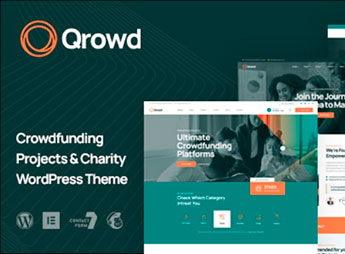
Qrowd is a WordPress theme aimed at non-profit organizations, combining project pages with goal systems and donation forms. It structures your cause’s visual communication, showcasing campaigns, goals, and volunteers without requiring advanced technical knowledge.
If you lead an NGO, church, or social project, Qrowd offers the essential elements to engage supporters and manage fundraising. With it, your institution gains a professional digital presence focused on concrete fundraising results.
Frequently asked questions
Is Qrowd – Crowdfunding Projects & Charity WordPress Theme GPL-licensed?
Yes. Qrowd – Crowdfunding Projects & Charity WordPress Theme is distributed under the GPL (GNU General Public License). You may legally use, modify and redistribute it on as many sites as you want.
Can I use Qrowd – Crowdfunding Projects & Charity WordPress Theme on multiple sites?
Yes. You can install Qrowd – Crowdfunding Projects & Charity WordPress Theme on as many sites as you want. Only automatic updates through Ultrapack Auto Updater have a limit: from 3 to 80 sites, depending on the plan.
How much does Qrowd – Crowdfunding Projects & Charity WordPress Theme cost at Ultrapack?
Qrowd – Crowdfunding Projects & Charity WordPress Theme costs US$2.99 as a single purchase, and it is also included in the subscription plans starting at US$12/mo (VIP I).
Does Qrowd – Crowdfunding Projects & Charity WordPress Theme include updates?
Yes. The current version of Qrowd – Crowdfunding Projects & Charity WordPress Theme is 1.2.0, published at Ultrapack on Oct 14, 2024. Subscribers update straight from the WordPress dashboard with UAU (Ultrapack Auto Updater).
Is Qrowd – Crowdfunding Projects & Charity WordPress Theme scanned before publication?
Yes. Every version of Qrowd – Crowdfunding Projects & Charity WordPress Theme goes through a malware scan (ClamAV and YARA rules, at UltraHub) before it is published.
How to install
Automatic updates: this item is updated by the Ultrapack Auto Updater. With it installed, the new version shows up in your dashboard like any other WordPress update (how to set it up).
The file on this page is the developer’s full package, with documentation, demos and plugins. Do not upload that file to WordPress. The theme comes ready inside it, as a ZIP of its own, and that is the one you upload.
- Download the file
elements-qrowd-crowdfunding-projects-charity-wordpress.zipand extract it on your computer. - Look inside the extracted files for the file
qrowd-wp-full/qrowd.zip. - In the WordPress dashboard, go to Appearance > Themes > Add New > Upload Theme.
- Select that file and click Install Now.
- Click Activate.
- There is nothing to zip. The ZIP inside the package is already in the format WordPress accepts.
- Uploading the whole package is the most common mistake when installing a theme: WordPress answers that no valid theme was found, and nothing is installed.
- The rest of the package belongs to the author: documentation, demo files and, in some themes, the plugins it asks for during setup.
Stuck on a step? Open a ticket telling us which one you stopped at.


