 UAU Ready
Description
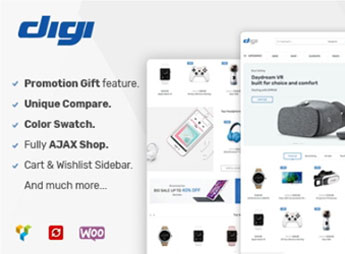
Digi is a WordPress theme created for electronics stores, technology retailers, and gadget resellers, with layout focused on extensive electronics product catalogs natively integrated with WooCommerce. It brings together listing grids, an item comparator, side filters by category and brand, as well as internal pages designed to highlight technical specs, reviews, and flash deals, in a clean visual format reminiscent of established online electronics retail marketplaces.
Key Features of the Digi
- Natively integrated with WooCommerce
Connects cart, checkout, customer accounts, and order management from the official e-commerce plugin. - Optimized electronics catalog
Category page structure with brand, price, technical specifications, and availability filters. - Compare and wishlist
Adds side-by-side comparison buttons and a wishlist directly to the product page. - Category mega menu
Organizes dozens of subcategories with icons and product highlights in the main menu. - Importable retail demos
Includes ready-to-use layouts in the style of major electronics marketplaces for one-click installation.
Benefits of the Digi
- Consolidated marketplace look
Builds trust by replicating the visual standard of technology retailers already known to consumers. - Easy product discovery
Filters and mega menu reduce clicks to the right item, increasing conversion rate. - Fast store launch
Ready demos eliminate hours of visual setup and page structure. - Purchase decision supported
Compare and wishlist help the customer evaluate technical options before placing the order.
Who Is Digi For?
- Anyone selling electronics, smartphones, notebooks, audio, video, and gadgets in general.
- Anyone who needs a store with a marketplace look and a catalog organized by brand and category.
- Resellers and importers who work with large volumes of SKUs and want a built-in comparator and advanced filters.
- Anyone already using WooCommerce and looking for a specialized layout for technology retail.
How to Download the Digi
The Digi is available for download here on Ultrapack. After downloading the .zip file, install it in Appearance > Themes > Add New > Upload theme, select the package, and activate the theme. Then, import one of the demos through the Digi panel to populate the store with the initial structure.
Built for those who operate in technology retail, Digi combines WooCommerce’s robustness with a visual layer designed for dense electronics catalogs. The comparison modules, specification-based filters, and marketplace demos shorten the path between installing the theme and having a store ready to receive orders, without relying on custom development for typical industry elements.
Frequently asked questions
Is Digi – Electronics Store WooCommerce Theme GPL-licensed?
Yes. Digi – Electronics Store WooCommerce Theme is distributed under the GPL (GNU General Public License). You may legally use, modify and redistribute it on as many sites as you want.
Can I use Digi – Electronics Store WooCommerce Theme on multiple sites?
Yes. You can install Digi – Electronics Store WooCommerce Theme on as many sites as you want. Only automatic updates through Ultrapack Auto Updater have a limit: from 3 to 80 sites, depending on the plan.
How much does Digi – Electronics Store WooCommerce Theme cost at Ultrapack?
Digi – Electronics Store WooCommerce Theme costs US$2.99 as a single purchase, and it is also included in the subscription plans starting at US$12/mo (VIP I).
Does Digi – Electronics Store WooCommerce Theme include updates?
Yes. The current version of Digi – Electronics Store WooCommerce Theme is 1.9.4, published at Ultrapack on Dec 29, 2025. Subscribers update straight from the WordPress dashboard with UAU (Ultrapack Auto Updater).
Is Digi – Electronics Store WooCommerce Theme scanned before publication?
Yes. Every version of Digi – Electronics Store WooCommerce Theme goes through a malware scan (ClamAV and YARA rules, at UltraHub) before it is published.
How to install
Automatic updates: this item is updated by the Ultrapack Auto Updater. With it installed, the new version shows up in your dashboard like any other WordPress update (how to set it up).
The file on this page is the developer’s full package, with documentation, demos and plugins. Do not upload that file to WordPress. The theme comes ready inside it, as a ZIP of its own, and that is the one you upload.
- Download the file
elements-digi-electronics-theme-for-wordpress.zipand extract it on your computer. - Look inside the extracted files for the file
digi-theme.zip. - In the WordPress dashboard, go to Appearance > Themes > Add New > Upload Theme.
- Select that file and click Install Now.
- Click Activate.
- There is nothing to zip. The ZIP inside the package is already in the format WordPress accepts.
- Uploading the whole package is the most common mistake when installing a theme: WordPress answers that no valid theme was found, and nothing is installed.
- The rest of the package belongs to the author: documentation, demo files and, in some themes, the plugins it asks for during setup.
- The package also includes the plugins the theme uses, each in its own ZIP:
js_composer.zipandrevslider.zip. Upload each one in Plugins > Add New > Upload Plugin after activating the theme.
Stuck on a step? Open a ticket telling us which one you stopped at.