 UAU Ready
Description
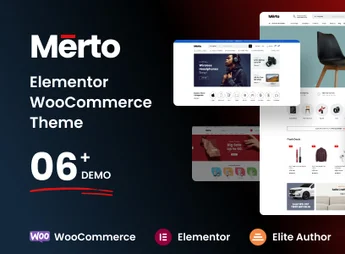
Merto is a WordPress theme designed for supermarkets, online retail stores, and multi-vendor marketplaces, combining a showcase layout for WooCommerce with native compatibility with Dokan for managing multiple sellers. Elementor serves as the foundation for visual editing, while RTL support extends compatibility to right-to-left languages such as Arabic and Hebrew.
Main Features of Merto
- Integration with Dokan
Allows creating a multi-vendor marketplace with store-specific dashboards, configurable commissions, and order management. - Elementor visual editor
Native blocks and widgets to build product, category, and landing pages without coding. - Supermarket layout
Product grid with filters by category, price range, and availability, suitable for extensive catalogs. - RTL support
Mirrors layout, typography, and navigation for right-to-left languages. - WooCommerce compatibility
Integrates with WooCommerce’s native checkout, cart, customer account, and coupon system.
Benefits of Merto
- Marketplace without extra plugin
Native Dokan support eliminates the need for an additional multi-vendor extension to launch the marketplace. - International reach
RTL support enables selling to Arabic, Hebrew, and Persian markets without manual template adjustments. - Code-free customization
Editing via Elementor reduces developer dependence for adjusting layout, colors, and store content. - Scalable catalog
The product grid with filters handles large SKU volumes without degrading the browsing experience.
Who is Merto Recommended For?
- Anyone looking to build an online supermarket or hypermarket with an extensive catalog and category filters.
- Anyone wanting to set up a marketplace with multiple sellers using Dokan, with separate store dashboards and commission control.
- Anyone needing a WooCommerce theme with RTL support to sell in Arabic, Hebrew, or Persian language markets.
How to Download Merto
Merto is available for download on this Ultrapack page. After downloading the .zip file, install it via Appearance > Themes > Add New > Upload Theme, select the file, and activate. The package is complete and ready for immediate installation.
Merto combines, in a single framework, the WooCommerce store flow, Elementor visual editing, and Dokan’s multi-vendor infrastructure, covering everything from niche supermarkets to large marketplaces. RTL support extends reach to Arabic, Hebrew, and Persian regions without requiring manual template adaptation or additional localization plugins.
Frequently asked questions
Is Merto – Multipurpose WooCommerce WordPress Theme GPL-licensed?
Yes. Merto – Multipurpose WooCommerce WordPress Theme is distributed under the GPL (GNU General Public License). You may legally use, modify and redistribute it on as many sites as you want.
Can I use Merto – Multipurpose WooCommerce WordPress Theme on multiple sites?
Yes. You can install Merto – Multipurpose WooCommerce WordPress Theme on as many sites as you want. Only automatic updates through Ultrapack Auto Updater have a limit: from 3 to 80 sites, depending on the plan.
How much does Merto – Multipurpose WooCommerce WordPress Theme cost at Ultrapack?
Merto – Multipurpose WooCommerce WordPress Theme costs US$2.99 as a single purchase, and it is also included in the subscription plans starting at US$12/mo (VIP I).
Does Merto – Multipurpose WooCommerce WordPress Theme include updates?
Yes. The current version of Merto – Multipurpose WooCommerce WordPress Theme is 1.3.8, published at Ultrapack on May 20, 2026. Subscribers update straight from the WordPress dashboard with UAU (Ultrapack Auto Updater).
Is Merto – Multipurpose WooCommerce WordPress Theme scanned before publication?
Yes. Every version of Merto – Multipurpose WooCommerce WordPress Theme goes through a malware scan (ClamAV and YARA rules, at UltraHub) before it is published.
What are the requirements for the theme Merto – Multipurpose WooCommerce WordPress Theme?
Requires PHP 8.0 or higher. Tested up to WordPress 6.6.
How to install
Automatic updates: this item is updated by the Ultrapack Auto Updater. With it installed, the new version shows up in your dashboard like any other WordPress update (how to set it up).
The file on this page is already the theme, ready to upload to WordPress.
- Download the file
themeforest-54795389-merto-multipurpose-woocommerce-wordpress-theme.zip. - In the WordPress dashboard, go to Appearance > Themes > Add New > Upload Theme.
- Select the file
themeforest-54795389-merto-multipurpose-woocommerce-wordpress-theme.zipand click Install Now. - Click Activate.
Requirements: Requires PHP 8.0 or higher. Tested up to WordPress 6.6.
- If WordPress answers that no valid theme was found, the file is the developer’s full package and the theme is in a folder inside it. Extract the file on your computer, look for the folder that has
style.cssandscreenshot.png(in this item, the foldermerto), zip that folder only and upload it again.
Stuck on a step? Open a ticket telling us which one you stopped at.