UAU Ready
Description
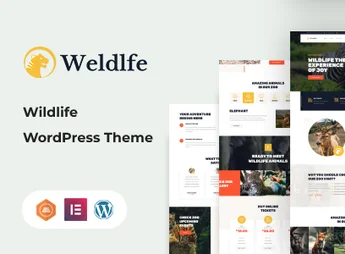
Safaria is a theme focused on safari parks, zoos, and adventure tourism operators, with a wildlife-themed layout, animal galleries, and tour reservation form. The second homepage alternates between institutional presentation and guided itineraries, structuring an ecotourism site with a tour schedule and species profiles using a proprietary visual builder.
Main Features of Safaria
- Safari-themed layout
Aesthetic aimed at wildlife parks, zoos, and nature adventure expeditions. - Animal and species gallery
Dedicated sections to catalog fauna, with individual profiles, photos, and descriptions of each animal. - Tour and outing schedule
Internal pages to list guided itineraries, with duration, itinerary, price, and availability. - Integrated reservation form
Fields to capture visit requests, package choice, and preferred date. - Responsive and customizable design
Automatic adaptation to smartphones and tablets, with color panels, typography, and headers.
Benefits of Safaria
- Adventure visual identity
Conveys the atmosphere of jungle and expedition without needing to hire a specialized designer. - Facilitated visitor capture
Ready structure to promote tours and receive reservation requests directly through the site. - Clear species cataloging
Presents the animals of the park or zoo in an organized and attractive way to the public. - Code-free implementation
Allows publishing all sections through the WordPress panel without manual file editing.
Who Is Safaria For?
- Safari parks, ecological reserves, and wildlife sanctuaries needing an online presence.
- Zoos and aquariums wishing to catalog species and promote visiting hours.
- Adventure and ecotourism operators selling guided tours in natural environments.
- Organizers of photographic expeditions, guided trails, and wildlife tours.
How to Download Safaria
Safaria is available for download here at Ultrapack. After obtaining the .zip file, upload it at Appearance > Themes > Add New > Upload Theme, select the package, and activate it. Then, import the desired demo from the theme panel to reproduce the full safari and zoo layout.
Designed for ventures related to wildlife and adventure tourism, Safaria delivers a visual base already aligned with the niche, avoiding heavy customizations. The combination of animal profiles, tour schedule, and reservation form covers the typical flow of those needing to present the park, attract visitors, and organize tour operations without relying on a developer.
Frequently asked questions
Is Safaria – Safari & Zoo WordPress Theme GPL-licensed?
Yes. Safaria – Safari & Zoo WordPress Theme is distributed under the GPL (GNU General Public License). You may legally use, modify and redistribute it on as many sites as you want.
Can I use Safaria – Safari & Zoo WordPress Theme on multiple sites?
Yes. You can install Safaria – Safari & Zoo WordPress Theme on as many sites as you want. Only automatic updates through Ultrapack Auto Updater have a limit: from 3 to 80 sites, depending on the plan.
How much does Safaria – Safari & Zoo WordPress Theme cost at Ultrapack?
Safaria – Safari & Zoo WordPress Theme costs US$2.99 as a single purchase, and it is also included in the subscription plans starting at US$12/mo (VIP I).
Does Safaria – Safari & Zoo WordPress Theme include updates?
Yes. The current version of Safaria – Safari & Zoo WordPress Theme is 1.3, published at Ultrapack on Jan 13, 2020. Subscribers update straight from the WordPress dashboard with UAU (Ultrapack Auto Updater).
Is Safaria – Safari & Zoo WordPress Theme scanned before publication?
Yes. Every version of Safaria – Safari & Zoo WordPress Theme goes through a malware scan (ClamAV and YARA rules, at UltraHub) before it is published.
How to install
Automatic updates: this item is updated by the Ultrapack Auto Updater. With it installed, the new version shows up in your dashboard like any other WordPress update (how to set it up).
The file on this page is the developer’s full package, with documentation, demos and plugins. Do not upload that file to WordPress. The theme comes ready inside it, as a ZIP of its own, and that is the one you upload.
- Download the file
themeforest-19116466-safaria-safari-zoo-wordpress-theme.zipand extract it on your computer. - Look inside the extracted files for the file
theme/safaria.zip. - In the WordPress dashboard, go to Appearance > Themes > Add New > Upload Theme.
- Select that file and click Install Now.
- Click Activate.
- There is nothing to zip. The ZIP inside the package is already in the format WordPress accepts.
- Uploading the whole package is the most common mistake when installing a theme: WordPress answers that no valid theme was found, and nothing is installed.
- The rest of the package belongs to the author: documentation, demo files and, in some themes, the plugins it asks for during setup.
Stuck on a step? Open a ticket telling us which one you stopped at.