 UAU Ready
Description
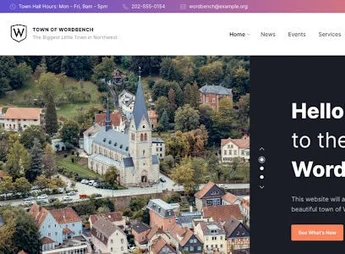
Local is a robust and professional WordPress theme, developed specifically to meet the needs of municipalities, local governments, city portals, and government agencies. Its clean and functional design aims to facilitate communication with citizens, providing a complete platform to publish news, events, official documents, and public services in a clear, organized and accessible way for everyone.
Main Features
- Elementor Visual Builder: Create and customize pages easily using the intuitive drag-and-drop system, without needing code.
- Document Management: Publish and organize important documents such as reports, budgets, and minutes in a way that is accessible to citizens.
- Integrated Event Calendar: Publish meetings, public hearings, and community events with a comprehensive and functional calendar system.
- Services and Departments Directory: Provide a comprehensive guide to public services and departments to help residents find what they need.
- News and Alerts System: Keep the population informed with a dedicated system for news, important notices, and emergency alerts.
- Fully Responsive Design: Guarantees a smooth and optimized browsing experience on any device, from desktops to smartphones.
Benefits of Local
- Transparent Communication: Centralizes all important information in one place, promoting transparency and facilitating citizens’ access to data and public services.
- Community Engagement: Encourages citizen participation through tools such as event calendars and directories, strengthening the bond between administration and community.
- Ease of Management: Simplifies site updates and maintenance with the Elementor builder and intuitive management panels, allowing non-technical teams to manage content.
- Credibility and Professionalism: Presents a professional and organized image for your government institution, conveying trust and seriousness to site visitors.
Who Is Indicated?
- Municipal Offices and City Councils
- Government Agencies and Departments
- City, Town, and Local Community Portals
With a complete set of tools dedicated to the public sector, Local is the ideal solution for building a modern, functional, citizen-centered government portal.
Frequently asked questions
Is Wordbench – Municipal & Local Government WordPress Theme GPL-licensed?
Yes. Wordbench – Municipal & Local Government WordPress Theme is distributed under the GPL (GNU General Public License). You may legally use, modify and redistribute it on as many sites as you want.
Can I use Wordbench – Municipal & Local Government WordPress Theme on multiple sites?
Yes. You can install Wordbench – Municipal & Local Government WordPress Theme on as many sites as you want. Only automatic updates through Ultrapack Auto Updater have a limit: from 3 to 80 sites, depending on the plan.
How much does Wordbench – Municipal & Local Government WordPress Theme cost at Ultrapack?
Wordbench – Municipal & Local Government WordPress Theme costs US$2.99 as a single purchase, and it is also included in the subscription plans starting at US$12/mo (VIP I).
Does Wordbench – Municipal & Local Government WordPress Theme include updates?
Yes. The current version of Wordbench – Municipal & Local Government WordPress Theme is 5.0, published at Ultrapack on Jul 1, 2026. Subscribers update straight from the WordPress dashboard with UAU (Ultrapack Auto Updater).
Is Wordbench – Municipal & Local Government WordPress Theme scanned before publication?
Yes. Every version of Wordbench – Municipal & Local Government WordPress Theme goes through a malware scan (ClamAV and YARA rules, at UltraHub) before it is published.
What are the requirements for the theme Wordbench – Municipal & Local Government WordPress Theme?
Requires PHP 5.6 or higher. Tested up to WordPress 6.9.
How to install
Automatic updates: this item is updated by the Ultrapack Auto Updater. With it installed, the new version shows up in your dashboard like any other WordPress update (how to set it up).
The file on this page is the developer’s full package, with documentation, demos and plugins. Do not upload that file to WordPress. The theme comes ready inside it, as a ZIP of its own, and that is the one you upload.
- Download the file
elements-local-business-wordpress-theme-for-small-busines.zipand extract it on your computer. - Look inside the extracted files for the file
local-business.zip. - In the WordPress dashboard, go to Appearance > Themes > Add New > Upload Theme.
- Select that file and click Install Now.
- Click Activate.
Requirements: Requires PHP 5.6 or higher. Tested up to WordPress 6.9.
- There is nothing to zip. The ZIP inside the package is already in the format WordPress accepts.
- Uploading the whole package is the most common mistake when installing a theme: WordPress answers that no valid theme was found, and nothing is installed.
- The rest of the package belongs to the author: documentation, demo files and, in some themes, the plugins it asks for during setup.
Stuck on a step? Open a ticket telling us which one you stopped at.