

Description
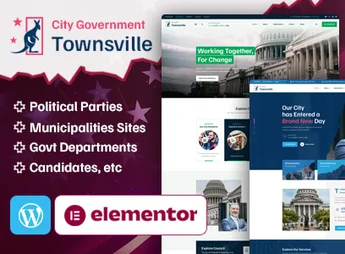
Townsville is a WordPress theme developed especially for political parties, candidates, and election campaigns. Ideal for those who need a professional and persuasive online presence, it combines modern design with voter mobilization features, proposal dissemination, donation collection, and volunteer engagement—all within an easily managed, fully responsive platform.
Main Features
- Campaign-focused design
Layouts designed for candidates, parties, and movements, highlighting proposals and biography. - Visual page builder
Integration with a drag-and-drop editor that allows building and editing sections without coding. - Donation and support system
Section ready for resource collection and new supporters to join the campaign. - Volunteer and event registration
Forms and agenda to organize rallies, meetings, and team activities. - Fully responsive
Automatic adaptation to phones, tablets, and computers to reach voters on any screen. - Flexible customization
Colors, typography, and blocks adjustable to reflect the candidate or party’s visual identity.
Benefits of Townsville
- Clear communication of proposals
A structure that highlights messages, government plan, and positions directly and organized. - Greater voter engagement
Interactive features that bring candidates closer to the audience and encourage participation. - Fast setup
Demos and pre-built pages speed up the site launch during the campaign period. - Conversion-optimized
Strategic call-to-action prompts that stimulate donations, registrations, and shares.
Who is it Indicated For?
- Candidates for elective office at any level
- Political parties and coalitions
- Social movements, activists, and mobilization organizations
With Townsville, your campaign gains a modern, reliable site ready to convert visitors into supporters. A complete solution to convey credibility, strengthen the political message, and win the vote with a digital presence that meets your ambitions.
Frequently asked questions
Is TownsVille – Political Party & Candidate WordPress Theme GPL-licensed?
Yes. TownsVille – Political Party & Candidate WordPress Theme is distributed under the GPL (GNU General Public License). You may legally use, modify and redistribute it on as many sites as you want.
Can I use TownsVille – Political Party & Candidate WordPress Theme on multiple sites?
Yes. You can install TownsVille – Political Party & Candidate WordPress Theme on as many sites as you want. Only automatic updates through Ultrapack Auto Updater have a limit: from 3 to 80 sites, depending on the plan.
How much does TownsVille – Political Party & Candidate WordPress Theme cost at Ultrapack?
TownsVille – Political Party & Candidate WordPress Theme costs US$2.99 as a single purchase, and it is also included in the subscription plans starting at US$12/mo (VIP I).
Does TownsVille – Political Party & Candidate WordPress Theme include updates?
Yes. The current version of TownsVille – Political Party & Candidate WordPress Theme is 1.2, published at Ultrapack on Jul 16, 2026. Subscribers update straight from the WordPress dashboard with UAU (Ultrapack Auto Updater).
Is TownsVille – Political Party & Candidate WordPress Theme scanned before publication?
Yes. Every version of TownsVille – Political Party & Candidate WordPress Theme goes through a malware scan (ClamAV and YARA rules, at UltraHub) before it is published.
What changed in this version
Version 1.2 2023-10-19
- 1) All Plugins are up to date.
Version 1.1 2023-05-27
- 1) One Click Demo Import Issue Has Been Fixed.
- First release!
Release notes published by the developer.
How to install
Updates: manual. When a new version comes out, download it on this same page and upload it over the old one; WordPress asks whether you want to replace the current version.
The file on this page is the developer’s full package, with documentation, demos and plugins. Do not upload that file to WordPress. The theme comes ready inside it, as a ZIP of its own, and that is the one you upload.
- Download the file
elements-townsville-political-party-wordpress-theme.zipand extract it on your computer. - Look inside the extracted files for the file
townsville-wp-full/townsville.zip. - In the WordPress dashboard, go to Appearance > Themes > Add New > Upload Theme.
- Select that file and click Install Now.
- Click Activate.
- There is nothing to zip. The ZIP inside the package is already in the format WordPress accepts.
- Uploading the whole package is the most common mistake when installing a theme: WordPress answers that no valid theme was found, and nothing is installed.
- The rest of the package belongs to the author: documentation, demo files and, in some themes, the plugins it asks for during setup.
Stuck on a step? Open a ticket telling us which one you stopped at.


