 UAU Ready
Description
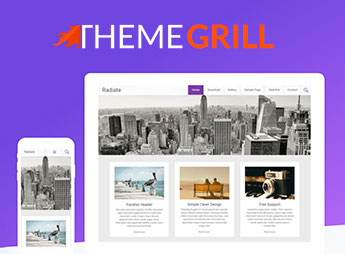
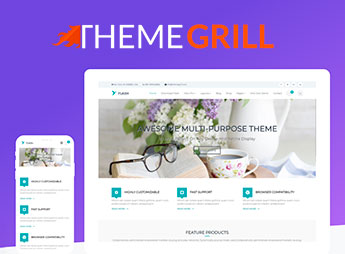
Built with the Gutenberg block editor and full integration with the WordPress Customizer, Accelerate Pro lets you create professional sites for agencies, blogs, local businesses, and personal sites, featuring a simple, clean layout, support for full-width and sidebar page layouts, and various header and footer options. Its visual customization system makes it easy to adjust colors, typography, and element placement, while compatibility with popular plugins and SEO optimization expand customization possibilities without code editing.
Key Features of Accelerate Pro
- Clean and Professional Layout
Minimalist design that highlights content, with balanced spacing and readable typography. - Color Customization Options
Native customization panel to change color palette, backgrounds, and link styles in real time. - Multiple Blog Layouts
Diverse post display options, including grid, list, and feature, adaptable to any niche. - Customizable Header and Footer
Editable areas for logo, menu, widgets, and contact information without requiring code. - Performance Optimized
Lightweight code and best loading practices that contribute to high scores on testing tools.
Benefits of Accelerate Pro
- Instant Professional Presence
Site with polished and modern look from activation, conveying credibility to visitors. - User-Friendly Daily Use
Visual customization without coding allows anyone on the team to keep the site updated. - Time-Saving Development
Ready structure and demos reduce creation effort, speeding up project launch. - Versatility for Different Niches
Layout and style flexibility serves from personal blogs to corporate institution pages.
Who is Accelerate Pro Recommended For?
- Those who run a marketing agency and need clean sites for their clients.
- Those maintaining a personal or professional blog who want a modern look without complication.
- Those needing a simple, fast site for a local business, such as an office or small store.
How to Download Accelerate Pro
Accelerate Pro is available for download here on Ultrapack. After downloading the .zip file, install it in Appearance > Themes > Add New > Upload Theme, select the .zip and activate it. The theme is ready for immediate use, with all customization options already loaded in the panel.
Focused on simplicity and functionality, Accelerate Pro is a practical choice for anyone looking for a lightweight and professional WordPress site. Its integration with the block editor and customization panel enables quick page assembly, while the optimized base ensures good performance even on shared servers, making the theme suitable for both personal projects and small business showcases.
Frequently asked questions
Is ThemeGrill Accelerate Pro – Simple Business WordPress Theme GPL-licensed?
Yes. ThemeGrill Accelerate Pro – Simple Business WordPress Theme is distributed under the GPL (GNU General Public License). You may legally use, modify and redistribute it on as many sites as you want.
Can I use ThemeGrill Accelerate Pro – Simple Business WordPress Theme on multiple sites?
Yes. You can install ThemeGrill Accelerate Pro – Simple Business WordPress Theme on as many sites as you want. Only automatic updates through Ultrapack Auto Updater have a limit: from 3 to 80 sites, depending on the plan.
How much does ThemeGrill Accelerate Pro – Simple Business WordPress Theme cost at Ultrapack?
ThemeGrill Accelerate Pro – Simple Business WordPress Theme costs US$2.99 as a single purchase, and it is also included in the subscription plans starting at US$12/mo (VIP I).
Does ThemeGrill Accelerate Pro – Simple Business WordPress Theme include updates?
Yes. The current version of ThemeGrill Accelerate Pro – Simple Business WordPress Theme is 2.3.12, published at Ultrapack on Oct 1, 2025. Subscribers update straight from the WordPress dashboard with UAU (Ultrapack Auto Updater).
Is ThemeGrill Accelerate Pro – Simple Business WordPress Theme scanned before publication?
Yes. Every version of ThemeGrill Accelerate Pro – Simple Business WordPress Theme goes through a malware scan (ClamAV and YARA rules, at UltraHub) before it is published.
How to install
Automatic updates: this item is updated by the Ultrapack Auto Updater. With it installed, the new version shows up in your dashboard like any other WordPress update (how to set it up).
The file on this page is already the theme, ready to upload to WordPress.
- Download the file
accelerate-pro.zip. - In the WordPress dashboard, go to Appearance > Themes > Add New > Upload Theme.
- Select the file
accelerate-pro.zipand click Install Now. - Click Activate.
- If WordPress answers that no valid theme was found, the file is the developer’s full package and the theme is in a folder inside it. Extract the file on your computer, look for the folder that has
style.cssandscreenshot.png, zip that folder only and upload it again.
Stuck on a step? Open a ticket telling us which one you stopped at.