 UAU Ready
Description
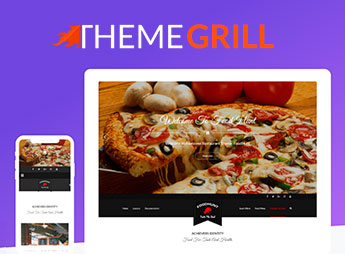
FoodHunt Pro organizes digital menus, dish galleries, and an online reservation system for restaurants, bars, and bistros. The theme includes ready-to-import demos, customization via the native panel, WooCommerce integration for meal sales and delivery, dish gallery, online reservation system, blog, testimonial area — all without requiring technical knowledge, serving owners of pizzerias, burger joints, bistros, and fast food chains.
Main Features of FoodHunt Pro
- Ready-to-import demos
Choose from predefined layouts and import with one click to speed up creation. - Integrated digital menu
Organize dishes, prices, and descriptions in an attractive visual format. - Online reservation system
Allows customers to book tables directly through the website. - Dish gallery with zoom
Display high-quality images with zoom effect to highlight the food. - WooCommerce integration
Sell meals, deliveries, and food products directly on the site.
Benefits of FoodHunt Pro
- Fast website setup
Save hours with ready demos and visual customization without programming. - Digital menu experience
Customers view dishes with photos and descriptions before ordering. - Automated reservations
Reduce phone calls and manage dining area capacity automatically. - Expanded online sales
Increase revenue with delivery and orders via WooCommerce.
Who Is FoodHunt Pro For?
- Those managing restaurants, bistros, and pizzerias who want a professional website without hiring a developer.
- You who own a fast food chain or burger joint and want to sell online with a digital menu and delivery.
- Owners of bars and nightclubs needing dish galleries, reservations, and delivery integration.
How to Download FoodHunt Pro
FoodHunt Pro is available for download here on Ultrapack. After downloading the .zip file, install it at Appearance > Themes > Add New > Upload Theme, select the .zip, and activate. The theme will appear in the panel ready for customization.
FoodHunt Pro brings together all the necessary tools for food service businesses to build an efficient online presence: from the digital menu to dish sales via WooCommerce. Whether a pizzeria, bistro, or fast food chain, the theme provides the visual and functional structure to attract and serve customers without technical complications.
Frequently asked questions
Is ThemeGrill FoodHunt Pro – Restaurant WordPress Theme GPL-licensed?
Yes. ThemeGrill FoodHunt Pro – Restaurant WordPress Theme is distributed under the GPL (GNU General Public License). You may legally use, modify and redistribute it on as many sites as you want.
Can I use ThemeGrill FoodHunt Pro – Restaurant WordPress Theme on multiple sites?
Yes. You can install ThemeGrill FoodHunt Pro – Restaurant WordPress Theme on as many sites as you want. Only automatic updates through Ultrapack Auto Updater have a limit: from 3 to 80 sites, depending on the plan.
How much does ThemeGrill FoodHunt Pro – Restaurant WordPress Theme cost at Ultrapack?
ThemeGrill FoodHunt Pro – Restaurant WordPress Theme costs US$2.99 as a single purchase, and it is also included in the subscription plans starting at US$12/mo (VIP I).
Does ThemeGrill FoodHunt Pro – Restaurant WordPress Theme include updates?
Yes. The current version of ThemeGrill FoodHunt Pro – Restaurant WordPress Theme is 2.3.2, published at Ultrapack on Aug 28, 2024. Subscribers update straight from the WordPress dashboard with UAU (Ultrapack Auto Updater).
Is ThemeGrill FoodHunt Pro – Restaurant WordPress Theme scanned before publication?
Yes. Every version of ThemeGrill FoodHunt Pro – Restaurant WordPress Theme goes through a malware scan (ClamAV and YARA rules, at UltraHub) before it is published.
What are the requirements for the theme ThemeGrill FoodHunt Pro – Restaurant WordPress Theme?
Requires PHP 5.6 or higher. Tested up to WordPress 5.7.1.
How to install
Automatic updates: this item is updated by the Ultrapack Auto Updater. With it installed, the new version shows up in your dashboard like any other WordPress update (how to set it up).
The file on this page is already the theme, ready to upload to WordPress.
- Download the file
foodhunt-pro.zip. - In the WordPress dashboard, go to Appearance > Themes > Add New > Upload Theme.
- Select the file
foodhunt-pro.zipand click Install Now. - Click Activate.
Requirements: Requires PHP 5.6 or higher. Tested up to WordPress 5.7.1.
- If WordPress answers that no valid theme was found, the file is the developer’s full package and the theme is in a folder inside it. Extract the file on your computer, look for the folder that has
style.cssandscreenshot.png, zip that folder only and upload it again.
Stuck on a step? Open a ticket telling us which one you stopped at.